Rocketfish RF-PS4S101 - Quick Setup Guide Manual de usuario
Busca en linea o descarga Manual de usuario para Consolas Rocketfish RF-PS4S101 - Quick Setup Guide. RocketFish RF-PS4S101 - Quick Setup Guide User Manual Manual de usuario
- Pagina / 2
- Tabla de contenidos
- MARCADORES

Indice de contenidos
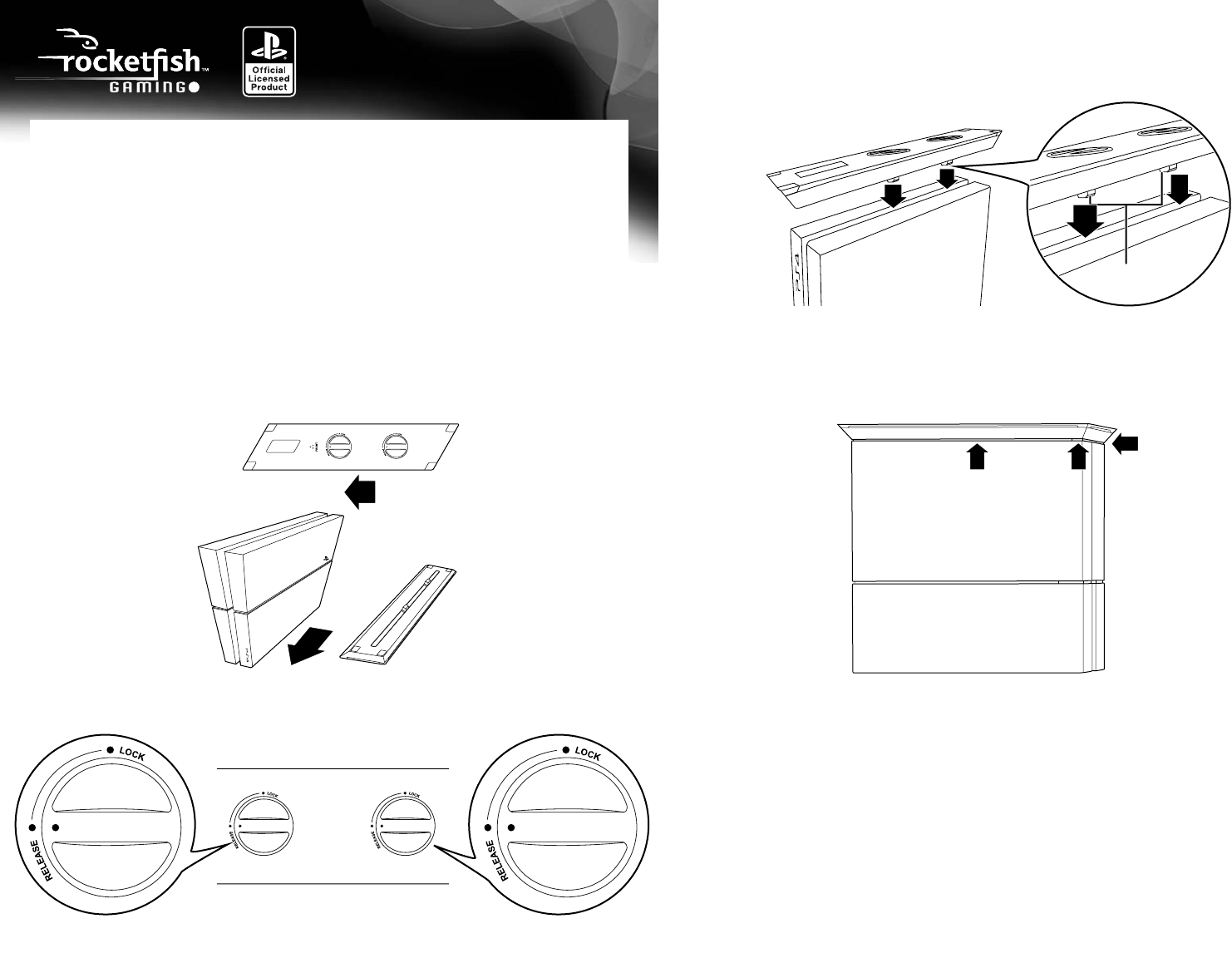
QUICK SETUP GUIDEPS4® Vertical Stand RF-PS4S1014 Carefully set the PS4 system and stand on a table with the bottoms facing up, then attach the stand
90-day limited warrantyVisit www.rocketshproducts.com for details.Contact Rocketfish:For customer support, call 1-800-620-2790 (U.S. and Canada) or 01
Mas documentos para Consolas RocketFish RF-PS4S101 - Quick Setup Guide


Relacionado con productos y manuales para Consolas Rocketfish RF-PS4S101 - Quick Setup Guide
 (2 paginas)
 (2 paginas)
 (1 paginas)
© 2020, manymanuals.es. Todos los derechos reservados | 0.034 s |
 Manymanuals.com
 Manymanuals.de
 Manymanuals.fr
 Manymanuals.it
 Manymanuals.pl
 Manymanuals.cz
 Manymanuals.es
 Manymanuals-pt.com
Comentarios a estos manuales